23,90 €
En stock

We will review your request—once it has been reviewed, you will receive the download link for the demo version.
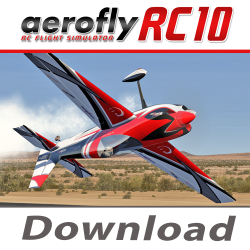
With the free demo version of aeroflyRC10, you can check before purchasing whether your PC, and particularly your graphics card, is suitable for running the flight simulator.
The demo includes one aircraft model and one photo scenery. Its primary purpose is to test the graphics performance of your computer.
At the same time, you can check whether your existing control hardware, such as a USB controller or a compatible transmitter interface, is recognized by your computer and can generally be used with aeroflyRC10.
To assess the performance of your computer, open the following menu in the blue aeroflyRC10 start screen:
“Settings” → “Graphics”
Set the “Show FPS” option to “On”. Then start the included photo scenery. The current frame rate will be displayed as an FPS value while the simulator is running.
FPS stands for “frames per second” and indicates the number of images displayed per second.
The frame rate in the included photo scenery should not remain below 30 FPS.
With a stable frame rate of 60 FPS or more, your computer is generally powerful enough to run the photo sceneries included with aeroflyRC10.
Please note that performance may vary depending on the screen resolution, graphics settings, hardware used, and connected accessories.
If you are unsure whether your computer meets the required system specifications, you can download the free demo version and test the performance of your system before making a purchase.
The demo also allows you to test accessories you already own. This enables you to check whether your control hardware is recognized by your computer and is generally suitable for use with aeroflyRC10.
The demo version is free of charge and is intended exclusively for testing system performance and existing hardware. The available functions and the selection of models and sceneries are limited compared with the full version.
A more powerful graphics card is required to use aeroflyRC10 with a VR headset:
aeroflyRC10 is optimized for use with headsets including the Meta Quest 2 and HTC Vive.
aeroflyRC10 is available for Mac computers through Steam and the Mac App Store.
The Windows version of aeroflyRC10 cannot be installed or used on a Mac with Parallels or Boot Camp. Please use only the dedicated Mac version on a Mac computer.
Please note that actual performance also depends on the selected screen resolution, graphics settings, photo scenery used, and, where applicable, the connected VR headset.
We will review your request—once it has been reviewed, you will receive the download link for the demo version.
check_circle
check_circle